Explore the current app
The public product pages and Show me Soupy tour share interactive examples of all twenty-one product families, including Soupy Studio, Vouchers and QR Codes. Business-type pages retain separate illustrative scenarios and link to these product previews. The homepage retains its labelled connected-record illustration. Each app example is labelled Product preview · sample data and uses fictional records. It demonstrates the current web presentation; it does not expose a business workspace or establish its product availability.
Each product page also has Full feature guide, linking to a detailed
capability section beyond the overview. It lists built workflows for all twenty-one
families; Supply keeps Purchasing, Stock, Production and EPOS distinct. Studio's
handbook chapter is not a public article, so its section has no guide links. Expanding
a guide reveals every published workflow topic for its mapped handbook chapters,
with direct links to the canonical /help section. The directory is rendered on
the server and native disclosures work without JavaScript. The product index
also links shared Assistant, search, Tasks, settings, integrations and device
guides. Access, provider, preview and rollout conditions remain visible; a listed
capability is not a promise of tenant activation.
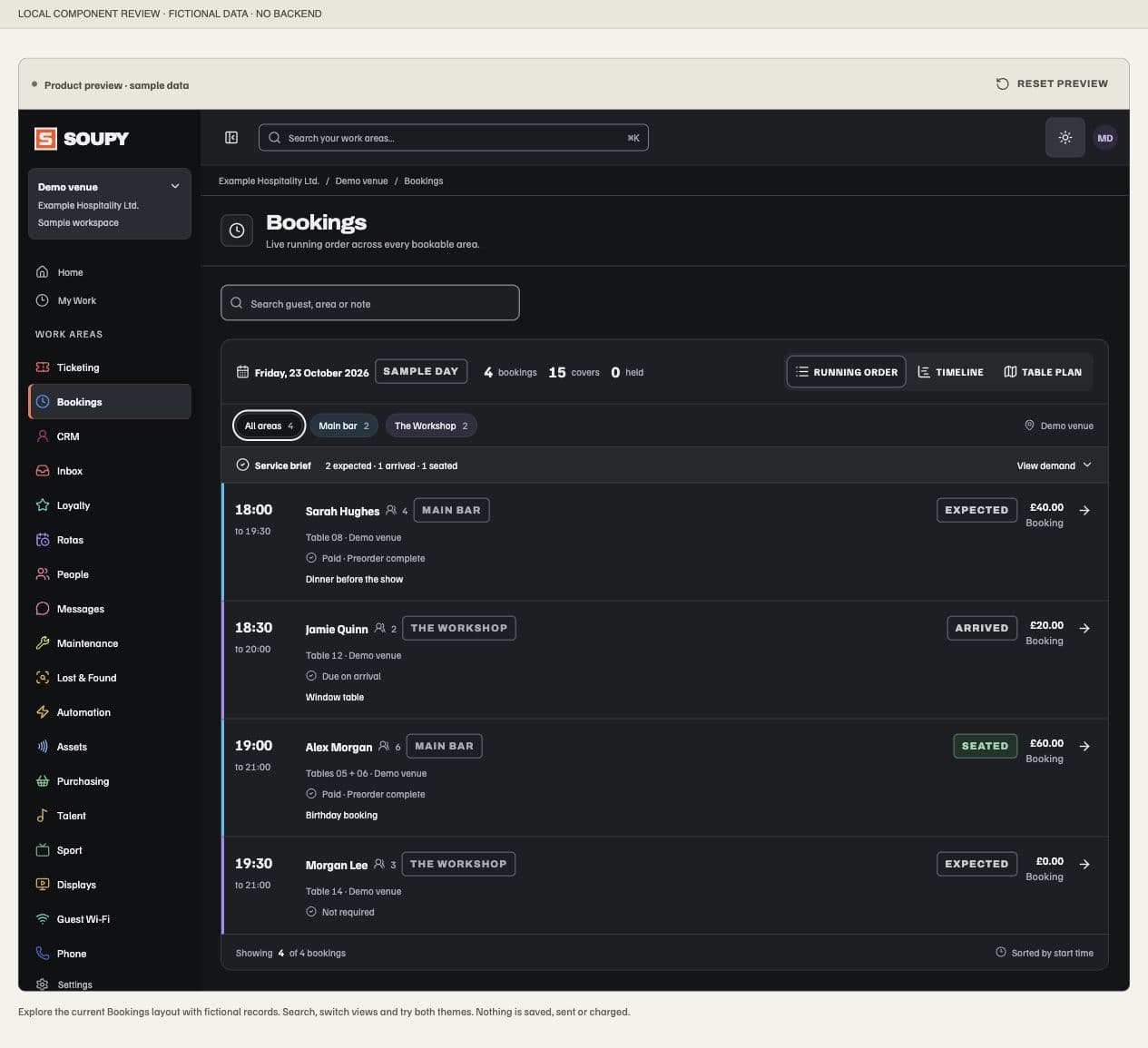
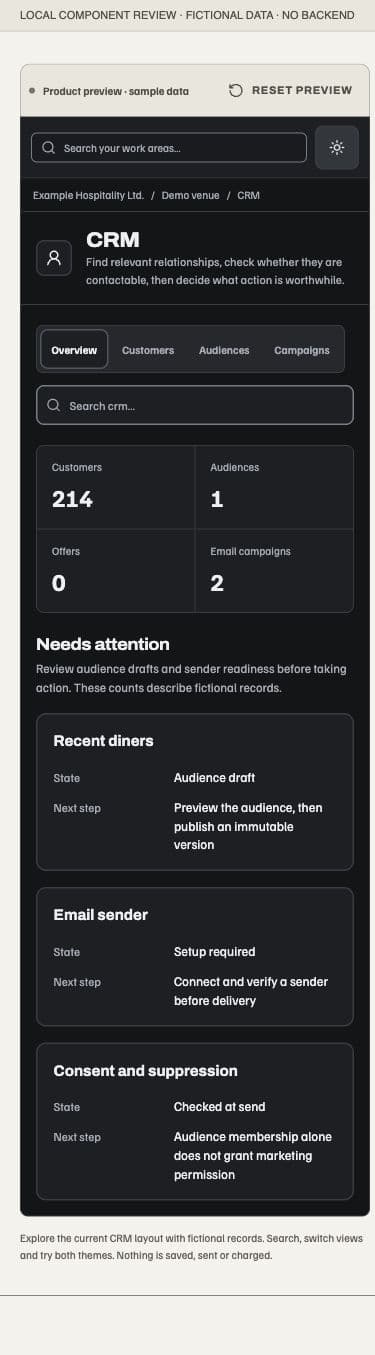
Visitors can switch sections, search sample records and inspect supported local record details. Ticketing includes the current Series performance cards and List, Photo and Calendar choices. Bookings shows the running order, resource timeline and table plan, with a local detail view. CRM starts with operational counts and decisions, then Customers, Audiences and draft Campaigns. Other products use their working queues, collections, schedules and record layouts. Empty searches explain that no sample records match.
The app frame supports light and dark appearances and a collapsible desktop work-area menu. These controls affect only the example. Reset preview restores its starting section and local example state. Inbox mirrors the Unified inbox, Email, Form submissions and Calls navigation, compact mailbox-coloured queue and sample reply. Its title, source tabs and messages share the reader scroll; the entire reply panel stays anchored at the reader's bottom in both collapsed and expanded states. Oversized reply details scroll inside that panel while its Reply bar and Send controls stay reachable. Source, mailbox and status controls filter fictional records; drafts stay with their selected conversation. Inbox reply text stays in the browser; no preview saves business records, sends a message, reserves capacity or charges money. Provider setup, product Preview labels and access conditions remain beside the product explanation. Narrow layouts preserve the same sample information, with local scrolling for wide tables and calendars.
The Ticketing sample uses the current shared Next doors and gross-sales briefing with fictional dates. Its event/report links stay within the sample schedule. The sample also supplies an explicitly fictional GBP sales timeline to the same Next doors graph used by the operator overview. Its fixed observation time, cumulative Event revenue, seven-day comparison and keyboard-accessible daily figures agree with the sample Event ledger. It makes no report/provider request. “At doors” remains unavailable: the sample does not imply that previous-run or rush forecasts exist.
These examples use sample data. They do not prove provider acceptance or installed iOS/Android behaviour. No operational permissions, product entitlements or native screens change.
Vouchers product explanation
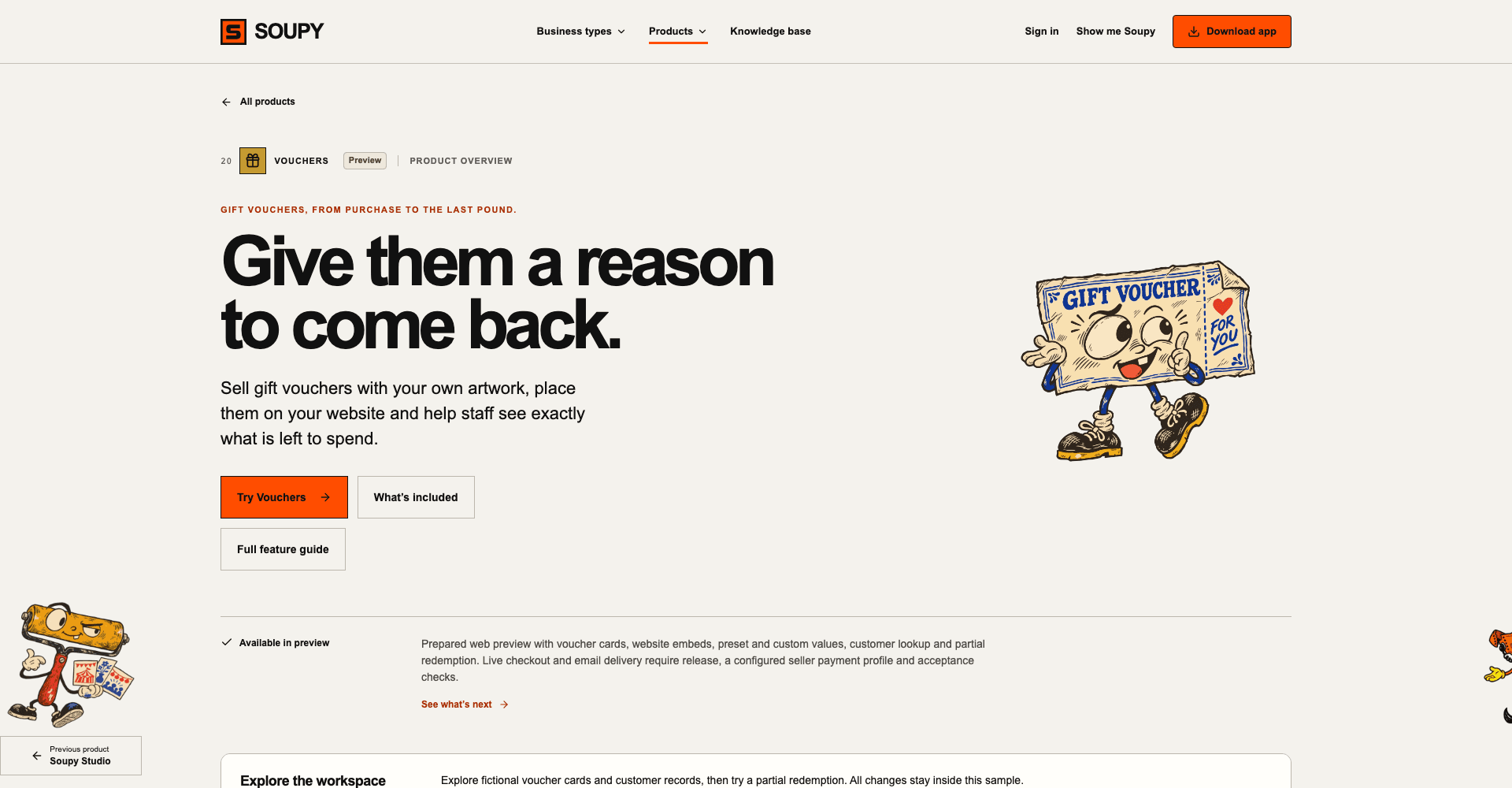
The /product/vouchers page joins the product directory, menus, footer
and tour with an explicit Preview label. It explains branded voucher cards,
the customer card designer, per-product or collection embeds, quick/custom
amounts, purchaser and recipient details, email delivery with the code shown as
a QR, customer lookup, and partial and full redemption. Its feature guide links
to the canonical Vouchers chapter. Payment setup, release and
acceptance conditions remain visible; a marketing page does not activate voucher
sales. The page states that staff redeem by code lookup and record the voucher
payment on the till; till redemption is not automatic.
The fictional app example reuses the working voucher card, totals and redemption review form. Switch between Overview, Products, Issued vouchers, Redeem and Embeds. Spending £35 from the £100 sample leaves £65 in its local customer log; Reset preview restores the starting balance. Amount selection, search and redemption stay in the browser, with no provider calls or real business writes.
QR Codes product explanation
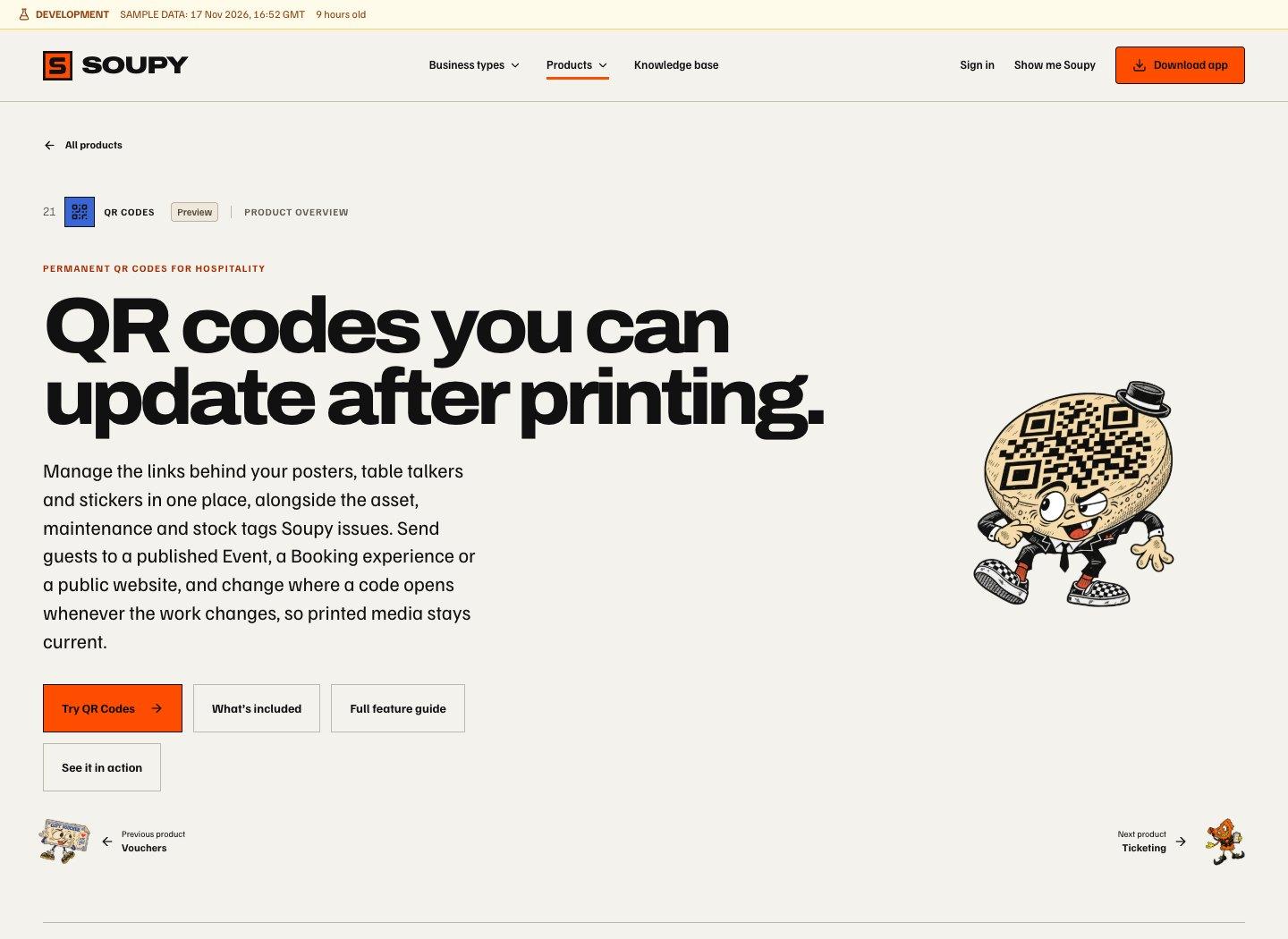
The /product/qr-codes page joins the public product directory and
tour with a Preview label. Skip, the QR Codes character, introduces the
page and its directory card. The page leads with codes that stay printed while
their destination changes, and shows QR across Soupy: Studio artwork, asset,
maintenance and stock tags, and gift vouchers. Its fictional library
illustrates permanent codes for websites, Events and Booking experiences,
printable Smart Tags, scheduled websites and recorded request activity. The
feature guide links to the QR Codes chapter. Central access still
requires an enabled Business and the relevant QR permissions. Event and Booking
tools use their source permissions.
On the Soupy platform host, /q, /qr, /qr-codes, /smart-tags,
/product/qr and /product/smart-tags redirect to the product page with their
query string intact. The first four roots are reserved from short programme
URLs. An existing Business with a matching slug retains its /whats-on/{slug}
route. Printed /q/{key} addresses resolve through the public link service.
Business and custom domains retain their own routing.
Reporting a security concern
The public /.well-known/security.txt file names support@soupy.ai
as the contact for security reports, with English as the preferred language and
an expiry date of 20 April 2027. It requires no sign-in and publishes no bounty,
response-time or disclosure-policy promise. The canonical address is
https://soupy.ai/.well-known/security.txt.
Marketing illustrations and motion
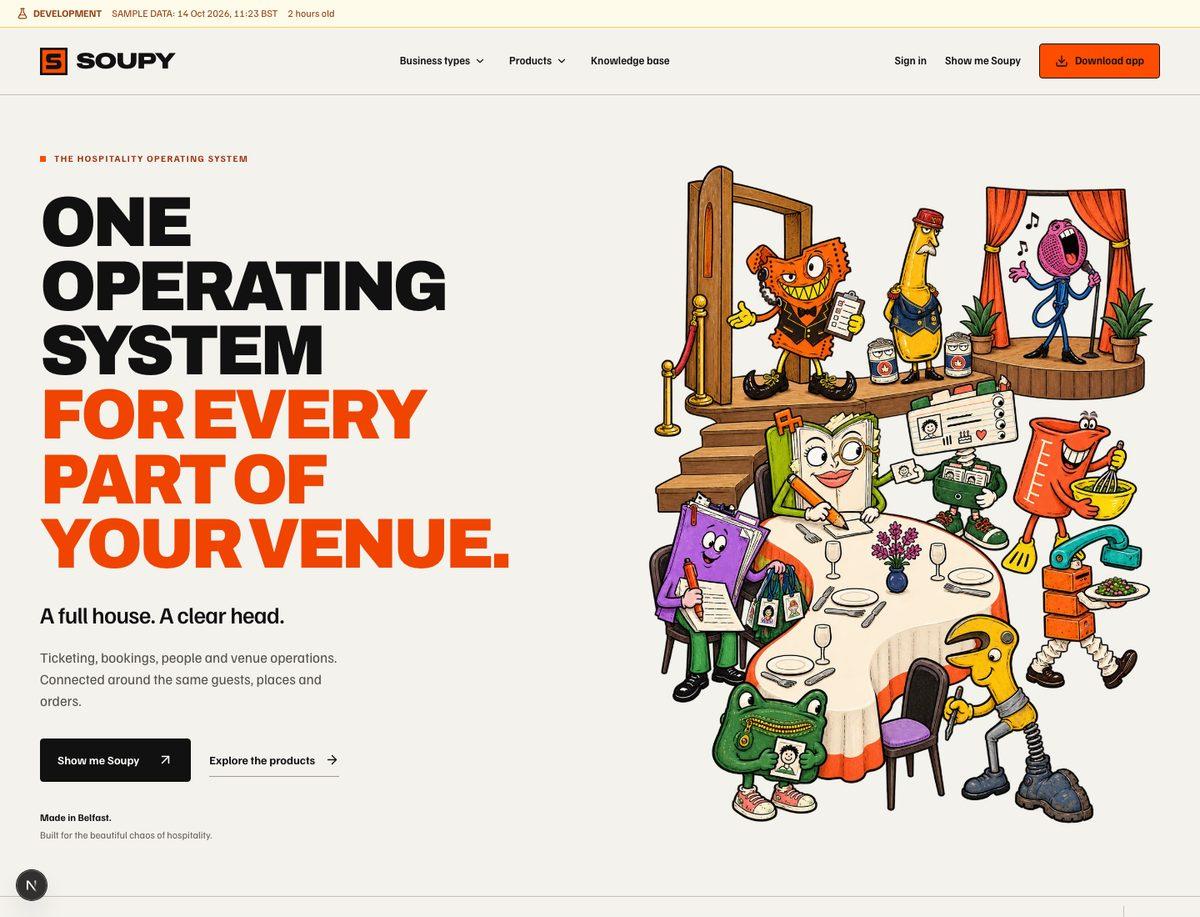
The Soupy homepage opens with Smooth service, the selected organised Full House scene: ten friendly characters cooperate around a neatly set table, doorway and stage. The labelled booking-and-ticket example remains in How it works.
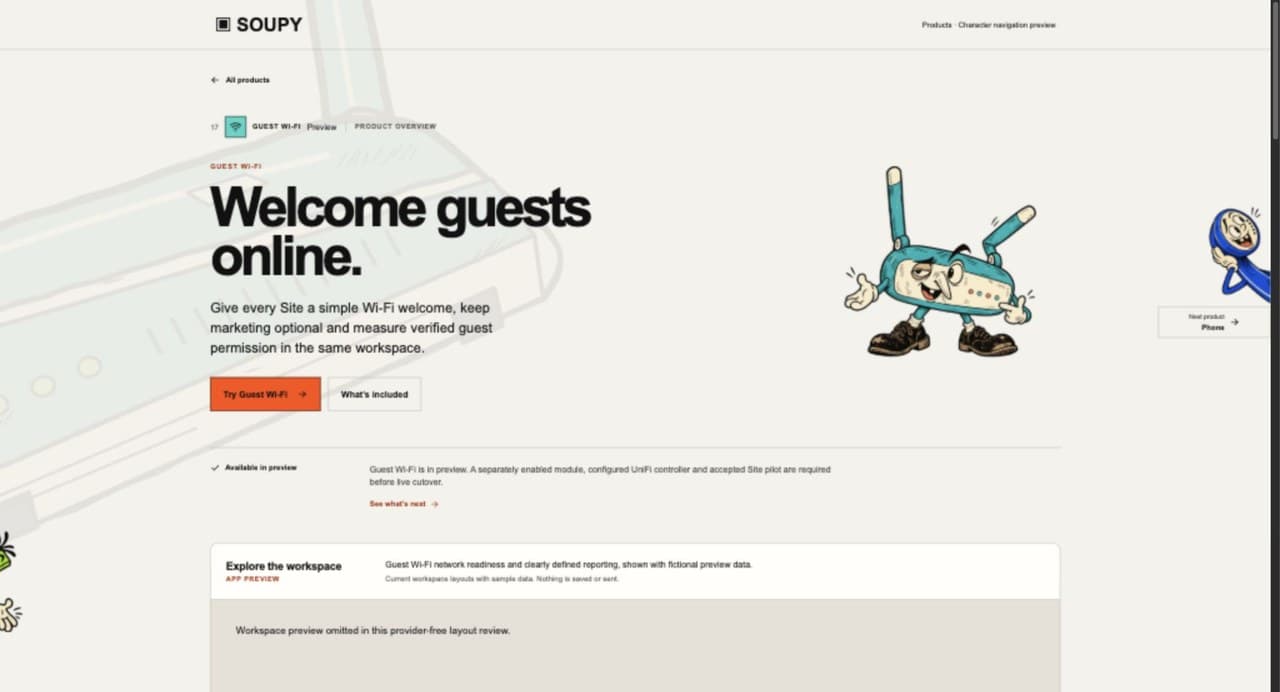
The friendly After Soupy versions of the 21 individual characters fill the existing product directory, eighteen product-page introductions and lead-product cards on five business-type pages. Their settled poses and organised props introduce the products; Smooth service is the homepage hero. The original character states remain in the separate design comparison gallery. Assistant has its own character beside its homepage introduction. Supply & Production illustrates Purchasing, Stock, Production and EPOS in its existing work-area sections. The page background shows through the artwork. Characters introduce the subject; capability notices, Preview labels and interactive examples remain the authority for availability and behaviour. Soupy Studio's introduction and directory card use Ditto, a pixel-identical lossless WebP of the approved Illustrator export the app uses. Vouchers uses Peep, the approved worn-paper gift certificate, on its directory card and product introduction. QR Codes uses Skip, the approved chipped cork coaster in a pork-pie hat, in the same two places, replacing the former sample-workspace image. The QR pattern on Skip's coaster is decorative and opens nothing. All three use their approved artwork unchanged.
Each of those eighteen product introductions also has a faint, angled supporting object behind its left-hand copy. Matching backgrounds appear in the homepage Assistant introduction and the four Supply work areas: Purchasing, Stock, Production and EPOS. These 23 transparent vector illustrations keep the existing characters in front. Maintenance pairs the spanner with a matching hex nut and bolt. The background layer is decorative, ignores pointer input and is hidden from assistive technology; the complete illustration can extend behind the following content without a fade or a hard horizontal section crop. In the four consecutive Supply work areas, each whole supporting object scales to its own row so adjacent illustrations do not overlap. Narrower screens reduce its opacity further. Product cards and the interactive app examples keep their existing artwork. Ditto, Peep and Skip have no approved supporting objects, so their introductions have none.

The hero and card illustrations are static. There is no illustration Motion on / Motion off control, and hovering or focusing a product card does not download an old animation. Cards remain ordinary links on pointer, keyboard and touch devices. The artwork stays the same under reduced-motion preferences and works without JavaScript. On narrow screens the headline and primary action precede the complete hero, served at a smaller image size. Product copy and navigation remain available if an illustration fails to load.
The product pages also offer Previous product and Next product links in catalogue order: Phone, Studio, Vouchers, QR Codes, then back to Ticketing. Ditto, Peep and Skip have approved independent left and right compositions, so every product page takes part. This supersedes the earlier Studio and QR Codes exclusions. At wide desktop sizes (at least 1720 pixels wide and 650 pixels high, with a hover-capable fine pointer), the neighbouring characters sit in the bottom-left and bottom-right corners of the first viewport, with space above its bottom edge for their full artwork and label. They belong to the page introduction and scroll out of view with it; they do not follow the reader down the page. At rest only the side of the viewport hides the character; the image itself has clear space on every edge, with no cuts across hands, feet or antennae. Hover or keyboard focus reveals the complete character and a named link. After 35–55 seconds one character briefly peeks further out, then the sides take turns with 60–100 quiet seconds between peeks. Each automatic peek lasts 1.8 seconds. Hover, keyboard focus and hidden tabs suspend automatic peeks. Pause peeks / Resume peeks remembers the choice on that browser. Reduced motion disables automatic peeks and removes the reveal transition; the links remain available. The optional motion enhancement uses JavaScript. On smaller and touch screens both named links sit below the introduction; navigation works without JavaScript and remains available if artwork fails. This is public marketing navigation only, not a change to workspace module order.
The homepage closes with Your stack was soup anyway and the Show me Soupy and Into the products actions, followed by the site footer. The former Keep the character. Lose the chaos. illustration comparison and its Before/After controls are removed from the homepage.
This changes public marketing artwork only. It creates no screens, permissions, provider requirements or product entitlements, and does not change authenticated workspaces, checkout, Wallet, transactional emails or native apps. The existing Soupy block-S logo remains in use.
Branded public content and website sections
Public organization, Brand, Series and Event pages expose eligible published content. Draft records and private staff settings do not become public because a URL can be guessed. Hostname-based sites resolve an exact organization/venue/ Series target and can redirect to the current canonical address.
Ticketing Settings → Websites includes website sections: choose which eligible Events to show, the target organization/venue/Series, and the website hostname and path prefix. Optional navigation links point to the rest of the business's site. The settings supply copy/download controls for the supported Worker and configuration files plus preview/link controls. Creating a section does not by itself prove the customer's DNS/hosting integration is operating.
/website-section/<publicId>/... renders the section and
/site/<hostname>/... renders hostname-resolved content. Event pages show public
description/date/time and continue into the canonical ticket checkout.
CRM analytics consent mounts only after resolving the exact business and retains
that source's consent rules.
Public programme browsers offer List, Photo and Calendar across business, Brand, category and Group discovery, website sections and hostname sites. Photo is the former grid layout. Public browser choices are remembered for that browsing context; managed embeds instead use their configured primary view. Search, filters, Event links and checkout continue to use the same eligible public records. Calendar groups venue dates and leaves Event navigation separate from day selection.
Paginated calendars label counts as loaded Events while more records or other pages exist. A date without loaded Events is not a claim that the programme is empty. Existing next-page/load-more controls remain available in every layout; bounded Group checkout catalogues identify their limited coverage. Website section links retain the customer's hostname, path and tracking parameters. Installed iOS and Android screens retain their current presentation in this web/desktop release slice.
After Soupy confirms an embedded purchase, the default Back to event action returns to that installed widget's listing. It retains the widget instance and its original embedding website; a configured custom post-purchase button keeps its own destination. The frame resizes to the current checkout, confirmation or returned listing so the host page can show the full content.
Product workflow examples
Ten product pages link See it in action to illustrated workflow stories before the existing app preview:
- Bookings: private-event sales, Email Studio, multi-part visits, menus/pre-orders and reviewed ResDiary imports.
- CRM: ticket history year on year, smart audiences, ready-made promotion emails, automatic Event offers and a business's own sender down to each Series.
- People: job-role contract packages built from shared documents, Markdown templates with variables, batch preparation and sending, turning a text PDF into a template, revisions with a summary of what changed, and employees' own contracts.
- Messages: channels and direct messages, channel stories, and knowledge and training.
- Talent: pools, assigning acts to dates, the talent portal's availability calendar, month-end invoices sent on to Finance, and Talent fees against ticket sales.
- Displays: players (the Samsung TV app, the web player, portrait panels and more players to follow), the design studio, live data, scheduling, back-of-house boards and offline playback.
- Vouchers: the customer card designer, partial and full redemption, and email delivery with the code as a QR.
- QR Codes: changing where a printed code opens, QR across Soupy, Smart Tag batches, and scan activity with purchase reporting.
- Rotas: booking-led staffing proposals.
- Inbox: a guest reply kept separate from the team's outstanding work.
Stories on a Preview product page (Displays, Vouchers, QR Codes) carry a Preview badge. A story about work that is not generally available names its own stage instead: channel stories are marked In testing because the mobile app is in testing. Each story's condition keeps its limits beside the claim. For example, Talent compares fees with ticket sales only, without bar takings, other costs or payment fees, and contract upload converts text PDFs but not scanned pages.
Each figure is a labelled fictional editorial example, not an operator screen or live record. The Displays players story is the one exception: it shows captures of the real player pairing screen from a local build, with a fictional code and no customer data. Recapture them when the pairing stage changes. The stories render without JavaScript; section and guide links are real navigation. They never save, send, book, import, allocate staff or contact an audience. Existing product entitlements, review, publication, provider and rollout conditions remain beside the claims. The public guides remain canonical; there are no new app routes, permissions or help chapters.
Ticketing product explanation
The Ticketing product page explains recurring setup after its mobile-ticket story and before its website and seller stories. A labelled fictional Sunday comedy example shows four Sundays, two show times and eight independent performances. Four ticket types share 100 places on each performance. This is an editorial example, not a live setup form: no Event is created and no inventory is reserved. The page links to the recurring setup guide and distinguishes weekly recurrence from irregular fixtures grouped in a Series. It also covers included benefits without individual prices, flexible pricing, guest operations and reporting. Future-default changes retain the existing protection for sales and local overrides; source publication and provider setup remain separate.
The Website & WordPress link on /product/ticketing opens a three-option
comparison at #website-options: an embed within an existing page, a custom
Series domain/subdomain, or a website section such as /whats-on. Each has an
address illustration and its own setup requirement. Domain connection requires
DNS/hosting setup; website sections require a verified host and Cloudflare
routing, with checkout on Soupy. Neither is installed by activating the
WordPress plugin. Links lead to the embed playground and the approved
website setup guide. These are
explanations of separate existing capabilities, not automatic provisioning.
Desktop example
shows the three address choices; the
narrow example
stacks them in the same order.
The local playground at /product/ticketing#website-embeds explains managed embeds: Event, Series or business scope,
eligible published Events, exclusions, Photo/List/Calendar, colours, spacing,
corners, width and supported scoped CSS. Its fictional programme shares the
public embed renderer. Cover & text, Layout and Colours group local
controls for five cover treatments, Photo-with-title font/angle/placement, the
first sample Event title, artwork colour, aligned grid/masonry, proportions,
spacing, corners and palette. Original image proportions require masonry;
returning to aligned grid restores Automatic. Overlay typography survives style
changes. Cover edits show Photo; List/Calendar remain available. Reset example
restores the opening design, sample title, month and selection. Artwork options
are labelled as an interactive preview subject to the embed editor rollout.
There is no live inventory, checkout, account access or save. Editing the sample
title does not imply a separate live overlay-text field: live artwork uses the
Event title/date. Marketing palettes and the initial cover are examples, not
named Studio presets. This preview has no native-app effect.
The WordPress section provides the reviewed Soupy Experiences 1.0.0 ZIP
for WordPress 6.5+ and PHP 8.0+. Upload and activate it under Plugins → Add
New Plugin → Upload Plugin, then place [soupy type="tickets" id="YOUR_EMBED_ID"] in a Shortcode block, replacing the placeholder with the
public emb_… ID in the saved Soupy Install code. Preview and publish the page.
The plugin also renders supported published Bookings and form experiences.
Account connection and the automatic experience picker are labelled pending
service release; manual shortcodes use the public widget independently.
The page makes no WordPress Directory listing or automatic update claim.
These are web placements; this marketing change has no native-app effect.
The public /product/ticketing page leads from the hero into the mobile Ticket
Wallet story, before the website options and embed sections. The Ticket Wallet
appears inside an iPhone frame, using a fictional Event and holder with a non-admission
QR. It explains the ticket and aftercare controls,
including PDF and Apple/Google Wallet options subject to purchased policy and
issuer readiness. The illustration is not a live ticket or proof of a native
device save.
A separate interactive example explains seller charges: a £25 ticket contains £20 admission and a £5 drink; an optional £25 artist T-shirt and £12 supper add to the total. Visitors can change each item's seller and include or remove the extras to see lines grouped into seller charges. These are fictional prices before applicable fees. Controls change only the example; they do not configure an Event, reserve inventory or take payment.
The page also describes Shared Add-ons for artist merchandise presales and confirmed collection using a web voucher. Whole included lines are individually assignable; they are not percentage splits of one line. Multi-seller eligibility, account setup and issuer conditions remain explicit. The page changes product explanation, not checkout, permissions or fulfilment.
Business-type discovery and enquiries
The public /for directory leads to five business-type pages:
/for/bars, /for/restaurants, /for/musicvenues,
/for/comedyclubs and /for/competitivesocialising. Business types also
appear in marketing navigation, the homepage and footer. Each page recommends
three starting products plus job-specific supporting products. Supply &
Production remains a presentation family with separate Purchasing, Stock,
Production and EPOS entitlements.
Each page contains a fictional operational scene, editable commercial scenarios,
product/help links and a corporate enquiry section. Scene controls affect local
examples only: no booking, message, admission, payment or provider action occurs.
The existing product tour accepts a validated ?for= business type to choose
a relevant starting product while retaining the whole catalogue. Unknown
business-type routes return 404.
Calculators distinguish sales, retained contribution, software expenditure and indicative time capacity. Assumptions are editable and labelled illustrative; GBP/EUR changes denomination without converting values. Figures remain in page memory, including a local printable venue brief, and do not enter URLs or analytics. Sending the brief requires a separate unchecked opt-in. Reloading the page resets those local inputs.
The venue calculators compare Today with Your scenario using paired sliders and exact number fields. Results update as inputs change: the headline shows the difference, with both totals, an industry-specific visual and the calculation breakdown alongside it. Match today's numbers copies the current baseline; Reset example restores the labelled illustration. Empty or invalid entries remain visible for correction rather than becoming zero. Negative contribution and lower comparison results remain meaningful.
Weekly tools offer week, month and year views using an editable Operating weeks per year assumption; a month is the entered annual total divided by 12. One-show tools use an editable Shows per year count. These frequencies are illustrative inputs, not a promise of continuous trading or Soupy performance. Break-even and per-attendee amounts keep their original units. Excessively large totals display an explanation instead of implying unreliable precision.
Music venues can also open Artist merch. This separate scenario shows gross merchandise sales, the artist's allocation and the venue's allocation before costs, tax and fees. Purchase rates and venue share start at zero; visitors enter their own assumptions and agreement. Fractional units are expected averages across shows. The fictional T-shirt selector illustrates an optional add-on; it never reserves stock, creates an order or sets a seller's payment terms. Separate sellers still need compatible, enabled Payment Profiles at real checkout. Competitive socialising retains its own resource/session timetable calculator.
The results panel follows the inputs on narrow screens, with a local result dock while browsing that calculator. The dock disappears outside the calculator and when the results are visible. Calculator colours adapt to the system light or dark preference; reduced-motion preferences suppress animated result changes. Admin time and software expenditure remain separate tools and never become a combined revenue or cash-saving claim. The local venue brief includes the chosen period, annual frequency and any merchandise assumptions.
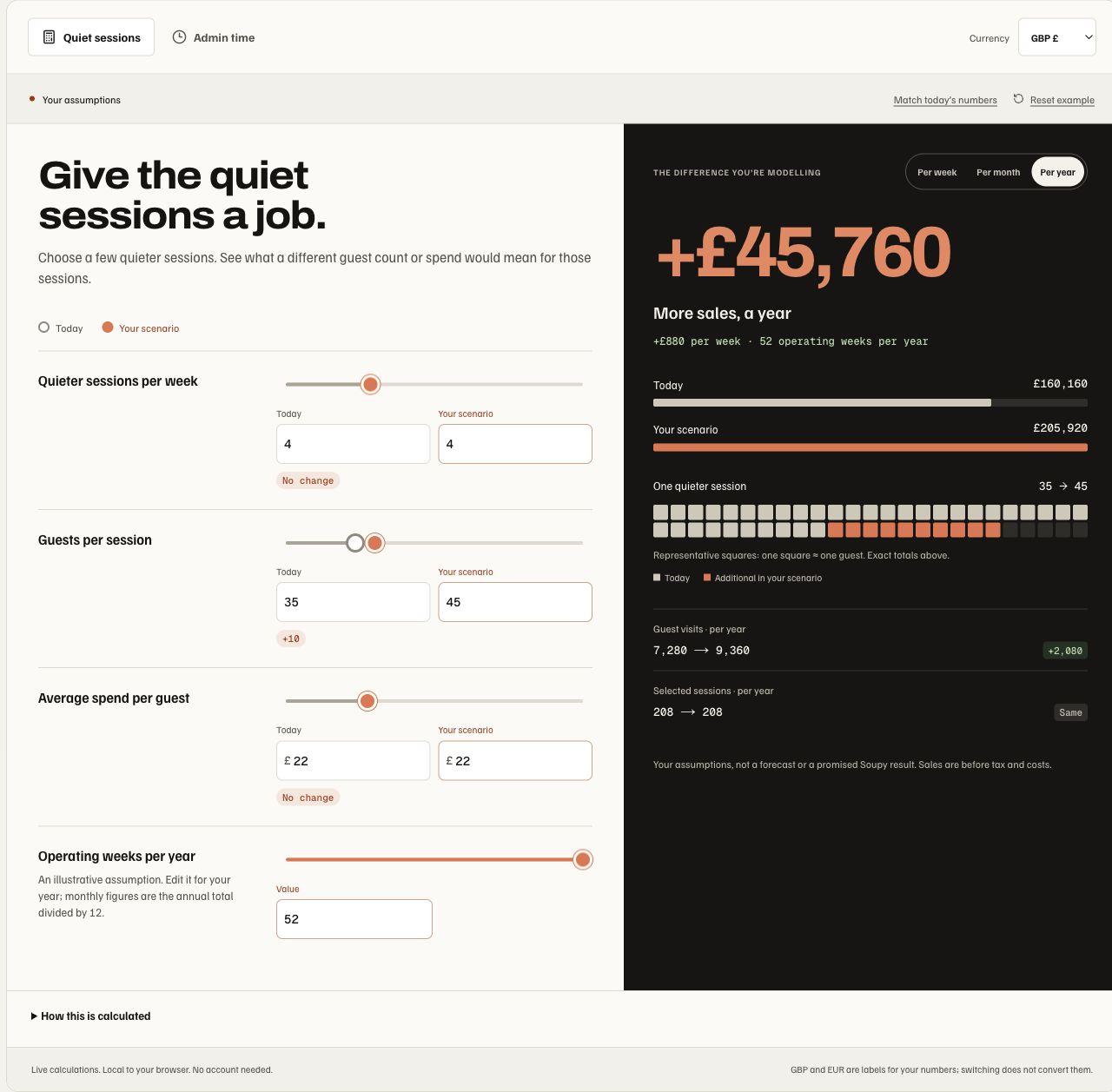
The example compares four sessions with 35 versus 45 guests spending £22. At 52 entered operating weeks, the £880 weekly sales difference becomes £45,760 per year, before tax and costs. These are editable examples, not measured Soupy results. The frequency and calculation breakdown stay alongside the comparison.
The enquiry requires name, email, venue/company, business type and main priority, with optional sites/phone and editable product interests. It uses a published Inbox form owned by the dedicated Soupy corporate organisation. Filly is the initial operational follow-up owner. Configuration or publication failure displays an unavailable state instead of accepting an undeliverable lead. Definite validation errors keep answers editable; unknown receipt retries retain the same submission key. Confirmation says Enquiry received and shows the reference, without promising an appointment or response time.
The corporate form and tracking installation must be configured separately before production acceptance. A demo/customer workspace is not a substitute. Tracking remains disabled without the exact corporate site configuration and current analytics consent. Interaction events contain category identifiers only. Received enquiries are counted from persisted Inbox submissions; honeypot acknowledgements and duplicate requests are not new leads.
The marketing pages are web surfaces; they do not add native operational features. Server-rendered narratives, links and worked examples remain available without JavaScript; interactive controls and the form explain their JavaScript requirement. Licensed illustrative photography is not customer proof.
Public route directory
| Route family | User purpose / governing boundary |
|---|---|
/, /product, /product/<slug>, /tour, /suppliers | Soupy public marketing and product explanation; not an authenticated entitlement report |
/for, /for/<business-type> | Five venue-specific product explanations, local commercial tools and configured corporate Inbox enquiry |
/download | Current public installer availability and browser fallback |
/privacy, /workforce/privacy | Public service and workforce privacy information; /privacy includes the website-statistics preference |
/terms | SOUPY LTD business service terms; prices, renewal and cancellation are defined by an accepted order form |
/workforce/support | Authenticated data/deletion/support requests plus help without sign-in |
/whats-on, /<business>/whats-on, /<business>/whats-on/<series>, /whats-on/<orgSlug> (legacy/fallback), /org/<orgSlug>, /org/<orgSlug>/brand/<brandSlug>, /group/<groupSlug> | Published business/Brand/Series/Event discovery |
/org/<orgSlug>/c/<categorySlug>, /org/<orgSlug>/<eventSlug>, /<slug> | Eligible public listing/category/detail surfaces |
/embed/events/<orgSlug>/<eventSlug> | Exact public Event ticket chooser for the Belfast Guide web integration |
/embed/<orgSlug>/<seriesSlug>, /embed/v1/<publicId> | Ticketing embeds and their registered scope; separate basic opt-out counts and consented audience observations cover installed business-owned managed widgets only, excluding legacy/direct/preview/Group surfaces |
/embed/forms/<publicId> | Published versioned Inbox form |
/org/<orgSlug>/book/..., /embed/<orgSlug>/book/<venueId>, /embed/bookings/v1/<publicId> | Published Bookings journey/widget |
/embed/sport/v1/<publicId> | A Site's published Sport listings embed; chosen matches only, no private notes |
/phone-bookings/<continuationId> | Private bearer continuation; SMS/email verification, exact booking terms and seller card/payment form |
/services/..., /consumer/... | Separate external-service discovery and customer authority |
/desktop/sign-in, /desktop/complete, /desktop/provider, /desktop/background | Desktop authentication handoff/coordinator surfaces; not business grants |
/accept-access/<token> | Reviewed workplace access invitation flow |
/clock/<token> | Source-governed attendance-point entry |
/assets/scan/<token>, /maintenance/report/..., /maintenance/contractor/<token> | Bounded asset/report/contractor access owned by Operations |
/contracts/<accessId>, /sign/<token>, /talent/portal, /talent/commitments, /supplier | Purpose-specific signing, representative and supplier journeys |
Checkout, basket, order status, ticket Wallet, resale, Booking management/payment, preorders, feedback and Lost Property recovery retain their owning commercial or operational chapters. Their bearer links authorize their exact purpose, not a staff workspace. Design-preview and acceptance-test routes are fixtures, not ordinary navigation or proof that a feature is publicly released.
Corporate website statistics
Provider setup required. Soupy's public marketing and help pages can count page views and estimate visitors with Vercel Web Analytics and a separately configured corporate PostHog project. Collection requires the production environment; development and preview deployments do not collect. Vercel requires Web Analytics enabled for its project. PostHog requires the corporate project token and matching cookieless project configuration; an absent token leaves that provider off. Provider configuration alone does not prove that a released page has delivered observations.
Collection covers only registered marketing, product, business-type and help
pages on soupy.ai and www.soupy.ai, including privacy and terms. Page addresses
and route metadata exclude query strings and fragments, so help search terms and
campaign query values are excluded. Staff workspaces, customer websites,
Ticketing, checkout and private bearer journeys are outside this collector. A
private or sensitive referring address also prevents collection. Forms, calculator inputs, customer
records and payment details are not included.
These are provider traffic reports, separate from the basic Ticketing counters. Vercel estimates visitors using short-lived hashes; the corporate PostHog collector uses its EU cookieless service, explicit page views and no customer identification, automatic interaction capture or session recording. Its browser requests have no event storage, queue or retry; opting out or leaving the marketing page aborts pending PostHog requests. The Ticketing counters remain daily public-resource totals without browser identity. The reports are not combined with each other or with customer-linked CRM analytics.
On Privacy policy → Basic statistics and optional analytics, choose Opt out of website statistics to stop future corporate website observations. Enable website statistics reverses the choice. It shares the existing basic-statistics preference for that browser and website; a prior Ticketing opt-out also applies. The page shows whether statistics are on or off. If storage is blocked, the choice lasts until the page closes and the page explains that limit. This choice does not change customer-linking or marketing consent. Loading the preference service on a marketing page does not create Ticketing counts.
JavaScript, browser blocking, opt-outs and provider failures can leave gaps; these reports do not prove unique people, purchases or conversions. Optional statistics do not block the website when collection is unavailable. This adds no workspace permission, authenticated screen or native-app collection.
Privacy and account requests
The public privacy policy explains service/workplace responsibilities, handled information, uses, Gmail limited use, optional AI, recipients, retention, security, rights and contact. Disconnecting Google access stops future provider authority; it is separate from asking Soupy to delete already retained information.
SOUPY LTD, registered in Northern Ireland as NI744480, is the service operator,
with registered office at 29 Ardenlee Drive, Belfast, BT6 8QL, Northern Ireland.
/terms publishes the approved business service terms, version 2026-10-16,
effective 16 October 2026, from one canonical contract file. The marketing footer
links both legal pages. An accepted order defines the actual service, pricing,
VAT, billing, term, renewal, cancellation and refund treatment; publication or
provider consent alone does not create an order. Data processing requires a
separate agreement, and connecting Twilio does not activate live Phone or SMS.
These platform terms do not replace a venue's own customer-sale terms.
Workforce privacy explains workplace identity/membership, operational records, notification registrations and device evidence. Camera/files/photos are requested when scanning or attaching. A configured clocking policy can request a one-time location reading; the app does not request background location.
/workforce/support accepts account deletion, data access and application support
requests after sign-in. Users unable to sign in can use the published email route.
Identity and authority are checked before handling data. A receipt is not completed
deletion: review identifies records retained for employment, accounting, audit or
dispute purposes, with their reason and expiry.